Invoice and bank reconciliation: what to automate first
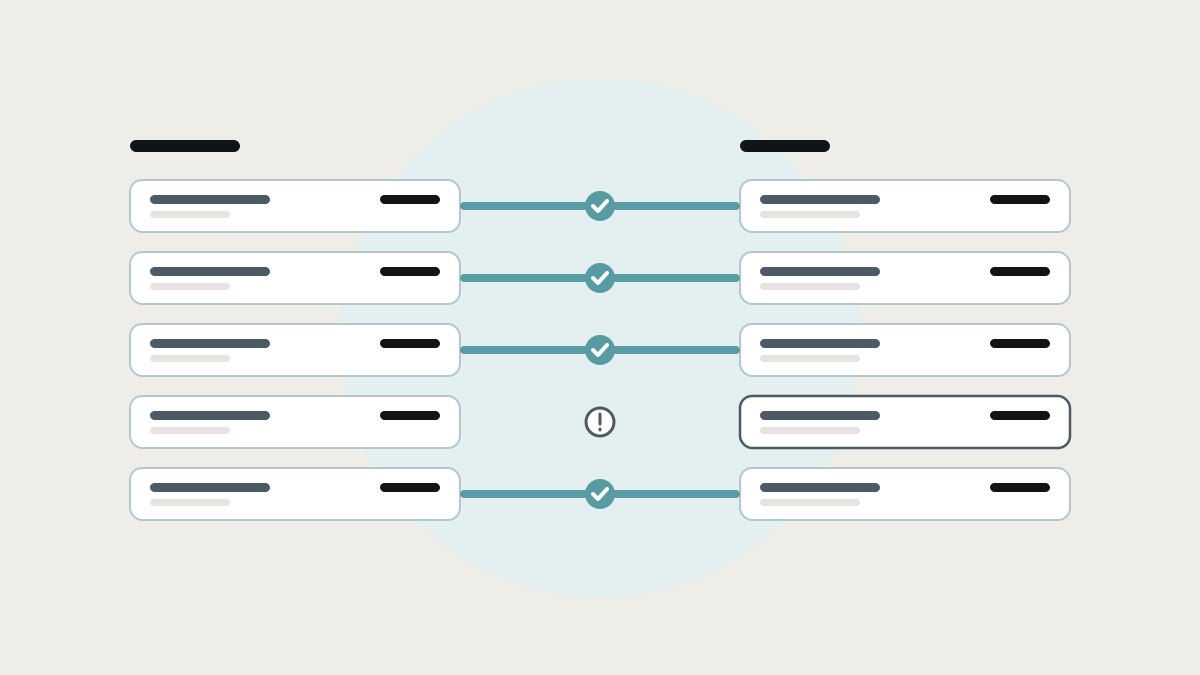
Reconciliation is how you know you've been paid and haven't paid twice, and it's the most repetitive work of the month. The main types, how the tools compare, why matches fail, and what to automate first.
Reconciliation is checking that two records of the same money agree: your invoices against the payments that arrived, your bills against purchase orders and deliveries, your books against the bank. It's how you know you've been paid, haven't paid twice, and that your numbers are real. It's also, in most small finance teams, the most repetitive work of the month.
This guide explains the main types of reconciliation, the tools that automate them and how each works, where automation stops, and what to automate first by connecting the systems that hold the other half of each match.
What the research says
- Reconciliation is a big part of the close. A 2025 survey of 100 finance professionals by Ledge, a finance automation company, found cash reconciliation took 20 to 50 hours a month across three to five systems, and half of teams needed six or more business days to close. (CFO.com)
- Spreadsheets are still everywhere. AutoRek's annual payments survey, published in February 2025, found spreadsheets are still integral to financial operations in 90% of organisations in the payments industry. (FF News) Ledge's survey found 94% of finance teams still use Excel.
- Spreadsheets carry errors. Raymond Panko's review of field audits found errors in at least 86% of the spreadsheets checked by the most thorough audits. (Panko)
- Weak controls cost money. The ACFE's Occupational Fraud 2024 report found a lack of internal controls contributed to 32% of the 1,921 fraud cases studied. Reconciliation is one of the most basic controls there is. (ACFE)
The main types of reconciliation
- Bank reconciliation. Every transaction on the bank statement matches a record in your books, and the balances agree.
- Invoice-to-payment (receivables). Every customer payment is matched to the invoice it pays, including part payments, overpayments and one payment covering several invoices.
- Bill-to-purchase-order (payables). Every supplier bill is checked against what was ordered and what was received, often called a "three-way match", before it's paid.
- Payment provider and marketplace. Payouts from Stripe, PayPal, Amazon or your card terminal are broken down into the sales, fees and refunds they contain.
- Balance sheet accounts. Payroll liabilities, tax accounts, loans and inter-company balances agree with their supporting records.
The tools that automate reconciliation, and how each works
Your accounting software: Xero and QuickBooks
How they work: bank feeds bring in transactions daily. Xero suggests matches to invoices and bills already in the system, and bank rules "treat groups of similar transactions the same way every time". Its AI assistant, JAX, can apply a rule, match an existing record, or reconcile based on how similar lines were handled before, and only reconciles automatically when it's highly confident. (Xero) QuickBooks bank rules categorise downloaded transactions automatically, and can post them immediately if you turn that on, which QuickBooks warns means you won't review them first. (QuickBooks)
Where they shine: routine bank lines, and one-to-one matches where the invoice or bill is already in the system with the same amount.
Where they stop: they can only match what's in the books. Payments with no clear reference, one payment for several invoices, payouts net of fees, and anything that depends on operational data still land on a person.
Document capture: Dext, Hubdoc and similar
How they work: bills and receipts are photographed or forwarded, read automatically, and published into your accounting software.
Where they shine: getting bills in quickly and accurately.
Where they stop: they capture the bill. Checking it against the order and the delivery is a separate step.
Payment provider connectors
How they work: apps that connect Stripe, PayPal, Shopify or Amazon to your accounting software and post the sales, fees and payouts.
Where they shine: turning a lump-sum payout into its component sales and fees.
Where they stop: setups vary, and edge cases like refunds, disputes, currencies and partial captures often need checking by hand.
Reconciliation software: BlackLine, AutoRek, Ledge and similar
How they work: dedicated matching engines with rules, exceptions queues, sign-offs and audit trails, designed for high volumes and complex matching.
Where they shine: larger finance teams, high transaction volumes and regulated industries.
Where they stop: they're built and priced for bigger organisations, and still need clean data from your other systems.
Spreadsheets
How they work: exports from the bank, the accounting package and other systems, matched with lookups and filters.
Where they shine: one-off investigations and flexible analysis.
Where they stop: manual, slow, error-prone, and repeated every month.
Why matches fail, and what to fix
Most reconciliation pain comes from a small number of causes:
- Missing references. Customers pay without an invoice number, so payments can't be matched automatically.
- One-to-many payments. One payment covers several invoices, or one invoice is paid in parts.
- Net payouts. Payment providers deduct fees and refunds before paying out.
- Data in the wrong place. The purchase order is in one system, the delivery note in another, and the bill in accounting.
- PDF-only statements. Some accounts don't have bank feeds, so statements arrive as PDFs and get retyped.
- Timing. Payments that cross month end, and deposits that clear days later.
Each of these is a data problem. The fix is usually to get the missing information to the match automatically, not to work harder at matching.
What to automate first
- Put the reference where the match needs it. Generate unique payment references on invoices, use payment links that carry the invoice ID, and push them into your accounting software so receipts match on their own.
- Connect payment providers properly. Break every payout into sales, fees and refunds automatically, linked to the original orders.
- Three-way match from connected data. Purchase orders from your approval workflow and deliveries from your operations or stock system, matched to bills as they arrive, with only differences sent to a person. See purchase approval workflows.
- Convert PDF statements automatically into checked transaction lines, rather than retyping them.
- An exceptions queue, not a spreadsheet. Everything that matched is done. Everything that didn't is listed with the likely reason, for a person to resolve.
- A live reconciliation status across accounts, so the close starts from what's left, not from scratch.
Your accounting software stays the ledger. Your sales, purchasing and operations tools stay where they are. The connections supply the other half of each match.
How we help at Lephlo
Finance teams are one of the groups we build for. We build integrations and internal tools that connect your sales, payment, purchasing and operations systems to your accounting software, so most matches happen on their own and the rest arrive as a clear exceptions list.
One example from our own products: BankStatementPro turns PDF bank statements into CSV or Excel, checking running balances, dates, amounts and debit or credit direction on every transaction, and flagging anything that fails a check for review.
It starts with a free consultation where we look at the reconciliations that take your team longest. We scope the first improvement, give you a fixed price, and build it in short steps. You own the code, fixes are free during the fix period after launch, and we stay on hand as you grow.
Related reading: month-end close checklist and how to stop double data entry. To size a first version, try the Build Scope Planner, or book a free consultation.
Frequently asked questions
What is invoice reconciliation? Matching invoices to the payments received, or supplier bills to purchase orders and deliveries, to confirm the amounts agree and nothing is missing or duplicated.
What is a three-way match? Checking a supplier's bill against the purchase order and the delivery record before paying it, so you only pay for what you ordered and received.
Can bank reconciliation be fully automated? Routine transactions largely can. Payments without references, net payouts, one-to-many payments and anything that depends on data outside your accounting software need connected systems, and a person for the true exceptions.
How often should we reconcile? Bank accounts at least monthly, and ideally weekly or daily with bank feeds. The more often you reconcile, the smaller and easier each batch is.
Sources
- CFO.com, 50% of finance teams still take over a week to close the books (April 2025)
- FF News, 90% of organisations still rely on outdated spreadsheets (February 2025, reporting AutoRek's payments survey)
- Raymond R. Panko, Spreadsheet Errors: What We Know. What We Think We Can Do (2000)
- Association of Certified Fraud Examiners, Occupational Fraud 2024: A Report to the Nations
- Product documentation: Xero, QuickBooks