How to stop double data entry between your systems
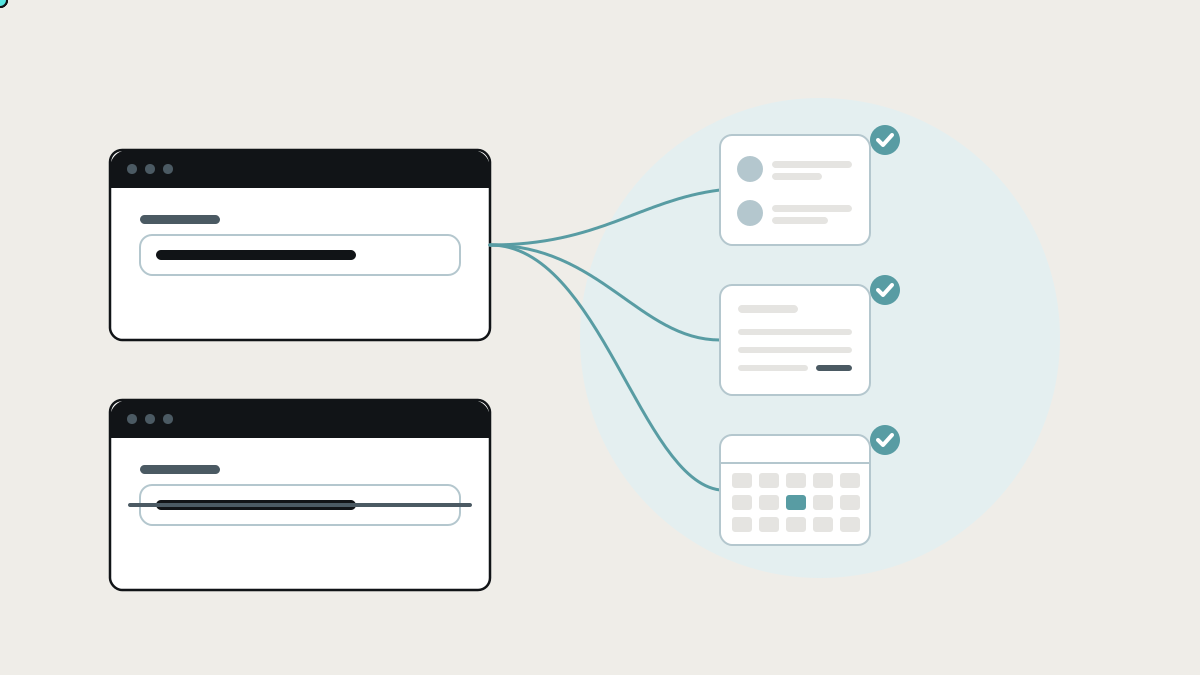
Typing the same customer, order or hours into several systems costs more than time. How to find double data entry in your business, the tools that reduce it, and how to remove it for good by connecting what you already use.
Double data entry is typing the same information into more than one system: a customer into the CRM and then into the accounting package, an order into the shop and then into a spreadsheet, a timesheet onto paper and then into payroll. Each copy takes time, and each one is a chance to get something wrong. Most growing businesses do far more of it than they realise, because it's spread across many people in small amounts.
This guide shows how to find double data entry in your business, the tools that already reduce it and how each works, and how to remove it for good by connecting the systems you already use.
Why double data entry happens
Nobody designs a business to retype things. It happens because each tool was chosen for its own job, at a different time, by a different person:
- The CRM was bought for sales.
- The accounting package was chosen by the bookkeeper.
- The scheduling app came in when operations grew.
- A spreadsheet filled the gap that none of them covered.
Each tool is good at its own job. Nothing moves information between them, so people do it instead: copying in, copying out, checking by eye. The people become the connection. If a spreadsheet has become the place where it all meets, our outgrown spreadsheets page covers that situation.
What the research says
- Most of the working week goes on work about work. Asana's Anatomy of Work Index found people spend about 60% of their time on communicating about work, searching for information, switching between apps and chasing status, rather than skilled work. (Asana)
- Admin crowds out the real job. Salesforce's fifth State of Sales report, based on 7,775 responses, found salespeople spend just 28% of their time selling. The other 72% goes on tasks like deal management and data entry. (Salesforce)
- Fragmented tools cost hours every week. Freshworks' 2025 Cost of Complexity Report found employees, mostly at larger firms, juggle about 15 software tools and lose nearly seven hours a week to complicated processes and fragmented tools. (Freshworks)
- Most apps aren't connected, even in big companies. MuleSoft's 2025 Connectivity Benchmark found only 29% of a typical enterprise's applications are integrated. (Salesforce / MuleSoft)
The real cost isn't only time
- Errors. A transposed digit in a bank detail, a wrong quantity, a misspelt email. Each copy is a new chance for a mistake, and mistakes travel downstream into invoices, deliveries and reports.
- Delay. Information only moves when someone gets round to moving it, so the invoice goes out days after the job is done.
- Disagreement. Two systems hold two versions of the truth, and meetings get spent arguing about which number is right.
- Fragility. The process depends on the person who knows what to copy where. When they're away, things stop.
- Wasted skill. Your best people spend part of every day as human copy-and-paste.
How to find double data entry in your business
Run this exercise for one core process, like enquiry to invoice:
- List every system involved, including spreadsheets, inboxes, paper forms and chat groups.
- Follow one real example through, such as last Tuesday's order, and note every time a piece of information is entered.
- Mark each repeat: the same customer name, address, item, price, date or hours typed again.
- Note who does it, how often, and how long it takes.
- Note what goes wrong: the errors and delays you can trace back to a copy.
Most businesses find the same customer and job details typed three to five times between first contact and payment.
The tools that already reduce it, and where each stops
Built-in integrations between your apps
How they work: many products connect to each other directly. Your shop syncs orders to your accounting package, and your CRM syncs contacts with your email tool.
Where they shine: free or cheap, maintained by the vendor, and quick to switch on.
Where they stop: they sync what the vendor decided to sync, in the way they decided. They rarely carry your own fields, rules or IDs, and they only connect two tools at a time.
Automation tools: Zapier, Make and n8n
How they work: a trigger in one app ("new deal won") runs actions in others ("create invoice", "add row", "send message").
Where they shine: quickly removing one obvious retyping job between popular apps.
Where they stop: each automation copies data along one path. With many of them, there's no single place that knows a customer in the CRM is the same customer in accounting. When a field changes or an app updates, automations can fail quietly, and the retyping comes back without anyone noticing. We compare two of them in Zapier vs n8n.
Forms and document capture
How they work: online forms, such as Google Forms, Typeform or Jotform, capture information once in a structured way. Document capture tools such as Dext and Hubdoc read receipts and bills and send them to accounting software.
Where they shine: stopping retyping at the point where information first arrives.
Where they stop: they solve the start of the process. Getting that information onward into the CRM, the job system and the reports is still a separate problem.
Doing it all in one platform
How it works: you move everything into one suite, such as an ERP or an all-in-one business platform, so there's only one place to type.
Where it shines: businesses whose processes fit the suite.
Where it stops: it means replacing tools your team knows, and it's a large project. We cover that trade-off in ERP for small business.
The lasting fix: enter once, flow everywhere
Removing double data entry for good takes three things working together:
- One shared record per thing. Each customer, job, order or employee has a single identity, a unique ID, that every connected system knows. That's how the system knows the "Acme Ltd" in your CRM is the "ACME LIMITED" in Xero.
- Two-way connections to the tools you keep. Information is entered once, in whichever tool fits the moment, and flows to every other tool that needs it. Changes flow back, so a payment marked in accounting shows up against the job.
- Checks and visibility. Every sync is logged. If a connection fails or a record doesn't match, a person is told, rather than finding out from a customer.
Your team keeps the tools they know. The CRM is still the CRM and accounting is still accounting. What disappears is the copying in between.
Start with the most expensive copy
You don't have to fix everything at once:
- Rank the repeats you found by time spent multiplied by how often they cause errors.
- Pick the top one. Often it's won deal to job to invoice, or timesheet to payroll.
- Connect that flow end to end, including the shared ID and failure alerts.
- Measure it: hours saved, errors avoided, days off the invoice cycle.
- Move to the next one.
How we remove double data entry at Lephlo
Integrations that connect the tools you already pay for are one of the main things we build. Information moves between them on its own instead of by copy and paste. We map where your data is retyped today, connect the systems around a shared record, and add the checks that catch problems before your customers do.
It starts with a free consultation. We scope the first flow, give you a fixed price, and build it in short steps you can see. You own the code, fixes are free during the fix period after launch, and we stay on hand as it grows.
One example from our own products: BankStatementPro turns PDF bank statements into checked spreadsheet rows, so finance teams stop retyping transactions by hand.
Related reading: system integration for small businesses and internal tools: the apps you already use, and how to connect them. To size a first version, try the Build Scope Planner, or book a free consultation.
Frequently asked questions
What is double data entry? Typing the same information into more than one system, like a customer's details into both the CRM and the accounting package. It wastes time and multiplies the chance of errors.
Can Zapier stop double data entry? For simple handoffs between popular apps, yes. For processes that span several tools, need your own rules, or must not fail quietly, you need connections built around a shared record, with logging and alerts.
Do we need to replace our software to stop retyping? Usually not. Most modern tools can be connected through their APIs, so each keeps doing its own job and the information flows between them.
What about older systems with no API? There are other routes, such as scheduled exports, reading reports or emails, or connecting to the system's database. We check what's possible during scoping, before anything is priced.
Sources
- Asana, Anatomy of Work Index: Why work about work is bad
- Salesforce, State of Sales, fifth edition
- Freshworks, The Cost of Complexity Report (November 2025)
- MuleSoft, 2025 Connectivity Benchmark Report