System integration for small businesses: how to connect your tools
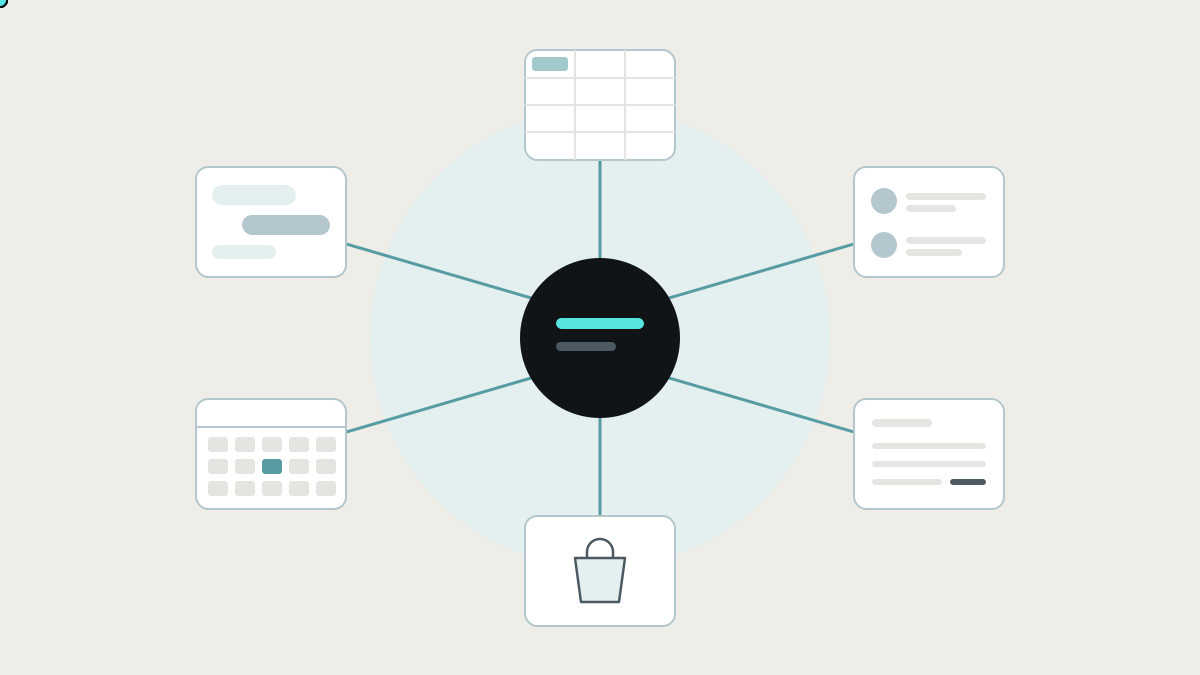
How business systems connect, the integration tools and how each works, why a web of point-to-point automations becomes a problem, and what a well-integrated small business looks like.
System integration means connecting separate software systems so they share information and work as one, instead of people carrying data between them. For a growing business, that usually means getting the CRM, accounting package, shop, scheduling tool, HR system and spreadsheets to keep each other up to date automatically.
This guide explains how systems connect, the main integration tools and how each works, where simple automations stop, and what a well-integrated small business looks like.
What the research says about integration
- Most applications still aren't connected. MuleSoft's 2025 Connectivity Benchmark, a survey of over 1,050 IT leaders, found that only 29% of a typical enterprise's applications are integrated, and only 2% of organisations have more than half their applications connected. (Salesforce / MuleSoft)
- Silos get in the way. In the same report, 90% of organisations said data silos create business obstacles, and 95% face challenges integrating AI into existing processes. (Salesforce / MuleSoft)
- Integration takes real effort, even for big IT teams. MuleSoft's 2024 report, which surveyed IT leaders at organisations with at least 1,000 employees, estimated that IT teams spend 37% of their time designing, building and testing new custom integrations. (MuleSoft 2024 Connectivity Benchmark)
If large companies with integration teams connect less than a third of their apps, most small businesses are running on far less, with people filling the gaps.
How systems connect: the building blocks
You don't need to be technical to make good integration decisions, but these five terms help:
- API (application programming interface). The official way one system lets other software read and change its data. Most modern business software, including Xero, QuickBooks, HubSpot, Shopify and most HR and scheduling tools, has one.
- Webhook. A message a system sends the moment something happens, like "invoice paid" or "order created", so other systems can react straight away instead of checking repeatedly.
- Sync. Keeping the same information matching in two places. One-way sync copies from A to B. Two-way sync keeps both up to date, which is harder because you have to decide what happens when both change.
- Mapping. Deciding which field in one system matches which field in another, like "Client" in the CRM to "Contact" in accounting, and converting formats such as dates, currencies and tax codes.
- Matching key. A shared ID that tells every system "this is the same customer, job or product". Without one, integrations match on names and emails and make mistakes.
The integration tools, and how each works
Native integrations
How they work: the vendors build the connection themselves. Your shop has a Xero app, and your CRM has a QuickBooks connector. You switch them on in settings.
Where they shine: cheap, quick and maintained for you.
Where they stop: they sync what the vendor chose, usually standard fields between two specific products. Your own fields, rules and edge cases are often out of scope.
Automation tools: Zapier, Make and n8n
How they work: visual "when this, then that" workflows between apps. Zapier is the simplest to start with. Make offers more complex visual scenarios. n8n can be self-hosted and suits more technical teams.
Where they shine: connecting popular apps quickly, without developers, for simple flows.
Where they stop: each workflow handles one path. As they multiply, the logic spreads across dozens of separate workflows, error handling is limited, and failures can go unnoticed. Most also bill by usage, so costs climb with volume. We compare two in Zapier vs n8n.
Integration platforms (iPaaS): Workato, Boomi, MuleSoft and Celigo
How they work: enterprise-grade integration platforms with connectors to many systems, data transformation, monitoring and governance, run by an IT team or a partner.
Where they shine: larger organisations with many systems, compliance needs and integration specialists.
Where they stop: for most small businesses they're more platform than the problem needs, and they still need someone skilled to design and maintain the integrations.
Custom integration
How it works: a developer writes code that talks to each system's API, with your own mapping, rules, error handling and logs, hosted wherever you choose.
Where it shines: processes specific to your business, systems without ready-made connectors, two-way syncs with tricky rules, and anything that mustn't fail quietly.
Where it stops: it needs a builder you trust and someone to look after it, because APIs change over time.
Why lots of point-to-point automations become a problem
Most small businesses start integrating one pair of tools at a time: CRM to accounting, shop to accounting, form to CRM, CRM to scheduling. Each makes sense on its own. After a year or two:
- Nobody can draw the whole picture: which automation moves what, where and when.
- The same customer exists in five systems with slightly different details, because each automation matched them its own way.
- Changes break things. Renaming a field or a pipeline stage silently stops a flow somewhere.
- Failures are found by customers, like the invoice that never went out or the booking that never arrived.
- Logic is scattered: discount rules live partly in the CRM, partly in an automation and partly in someone's head.
That isn't integration. It's a set of shortcuts.
What good integration looks like for a small business
A well-integrated business isn't one with the most connections. It's one where information is entered once and is right everywhere. In practice:
- Each kind of data has one home. Customers' commercial details in the CRM, invoices and payments in accounting, schedules in the scheduling tool. Everyone knows which system is the source of truth for what.
- A shared record links them. Each customer, job or order has one ID that every system knows, so records match exactly.
- Connections run through one layer, not a web of point-to-point links. A central integration layer reads and writes each system through its API, applies your rules once, and keeps a log.
- Failures are visible. Every sync is recorded, retries are automatic, and a person is alerted when something can't be fixed automatically.
- People see the whole process. A simple status view shows each job or order across all systems: quoted, booked, done, invoiced, paid.
Your team keeps using the tools they know. Integration happens behind the scenes, and the result is visible in fewer emails, faster invoicing and numbers that agree.
How to plan your integrations
- List your systems and what each is the source of truth for.
- Map your core flows, such as enquiry to cash, hire to payroll and order to delivery, and where each one crosses between systems.
- Check each system's API. Does it have one, and does it cover the data you need? Older systems may need another route.
- Choose matching keys: how each customer, job or product will be identified across systems.
- Decide the direction of each sync, and the rule when both sides change.
- Start with the flow that costs most, build it with logging and alerts, and measure the result before adding the next.
How we integrate systems at Lephlo
Integrations are one of the core things we build: connecting the tools you already pay for so information moves between them on its own instead of by copy and paste. We design the shared record, build the connections through each system's API with your rules and proper error handling, and give you a view of the whole process. Where Zapier or a native integration is genuinely enough, we'll say so.
It starts with a free consultation where we map your systems and flows. We scope the first integration, give you a fixed price for it, and build it in short steps. You own the code, fixes are free during the fix period after launch, and we stay on hand as your stack changes.
Related reading: how to stop double data entry and internal tools: the apps you already use, and how to connect them. To size a first version, try the Build Scope Planner, or book a free consultation.
Frequently asked questions
What is system integration in simple terms? Getting your separate software systems to share information automatically, so nobody has to copy it from one to another.
What is the difference between an integration and an automation? An automation performs a task, like sending an email when a form is submitted. An integration keeps systems' data connected and consistent. Many automations move data, but a set of automations isn't the same as a designed integration with a shared record, rules and error handling.
Is Zapier enough for a small business? For simple handoffs between popular apps, often yes. When processes span several systems, depend on your own rules, or can't be allowed to fail quietly, a designed integration is safer.
What if one of our systems doesn't have an API? There are usually other routes, such as scheduled exports, reading emails or reports, or connecting to its database. We check during scoping, before anything is priced.
Who owns a custom integration? With us, you do. The code is yours, it can run in your own hosting account, and anyone you choose can maintain it.
Sources
- MuleSoft, 2025 Connectivity Benchmark Report
- MuleSoft, 2024 Connectivity Benchmark Report (PDF copy)