What is an admin panel, and when do you need a custom one?
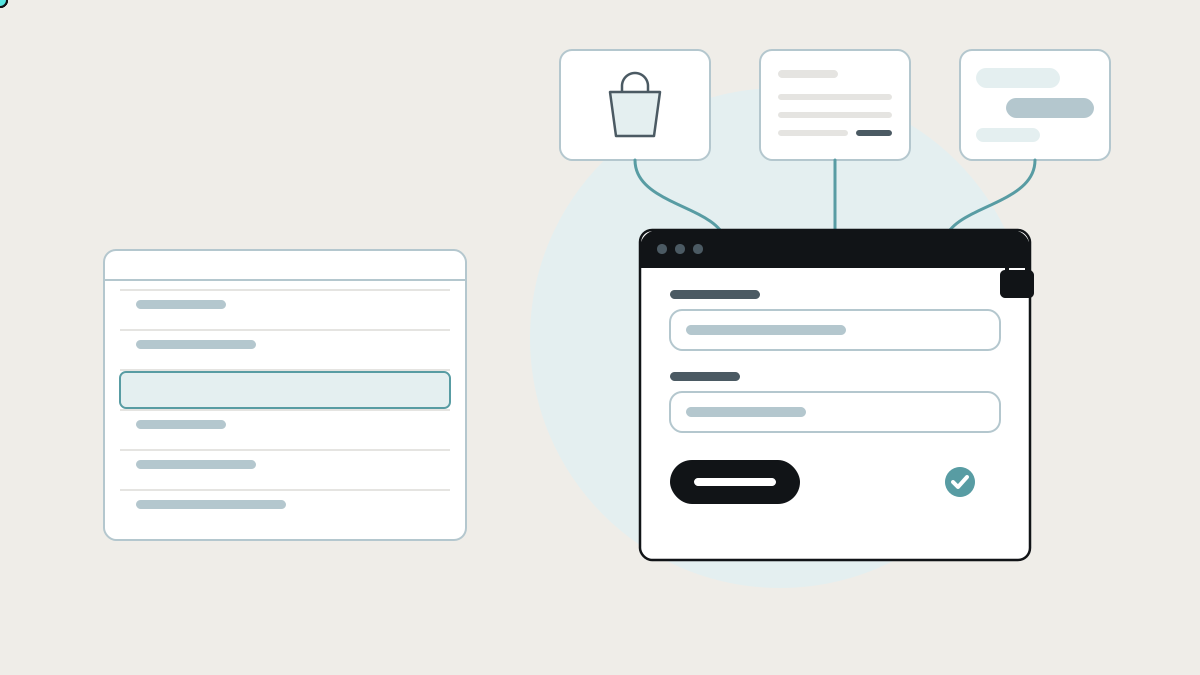
An admin panel is the private screen where your team manages the data behind your business. Here is what a good one does, the admin panels you already have, and when a custom one that spans your tools makes sense.
An admin panel is the private screen where your team manages the data behind your business: customers, orders, bookings, products, prices, users, content. Your customers never see it, but every one of them is affected by it. When the admin panel is good, a team member can fix a booking or refund an order in a minute. When it's missing or poor, the same job means a developer, a database query, or a message that says "can you change this for me?"
This guide explains what an admin panel does, the tools that already provide one, where each stops, and what a custom admin panel looks like when it sits across the tools you already use rather than inside just one of them.
What an admin panel does
Most admin panels do the same five things, whatever the business:
- Find a record. Search for a customer, an order or a job by name, number, email or date.
- See everything about it. The order, the payment, the delivery, the messages, in one place rather than five tabs.
- Change it safely. Edit a booking, issue a refund, update a price, with checks that stop obvious mistakes.
- Control who can do what. A support agent can resend an invoice. Only a manager can issue a refund over a set amount. Nobody can delete a customer's history.
- Keep a record. Who changed what, when, and from what to what.
The first three make your team faster. The last two keep the business safe. Admin panels built in a hurry tend to do the first three and skip the last two.
What the research says about getting it wrong
Admin screens are where access control matters most, and access control is where software most often goes wrong:
- Broken access control is the most common serious web application weakness. In the OWASP Top 10, the standard list of web application security risks, broken access control moved from fifth place to first in the 2021 edition. 94% of the applications tested had some form of it. (OWASP)
- OWASP's advice reads like a spec for a good admin panel: deny access by default, implement access control once and reuse it everywhere, and log access-control failures so someone is alerted when they repeat. (OWASP)
- Even framework admins are meant for limited use. Django's documentation describes its automatic admin as an interface where "trusted users can manage content", and says its "recommended use is limited to an organization's internal management tool". For a more process-centric interface, it recommends writing your own views. (Django documentation)
The lesson for a business owner: an admin panel isn't just a convenience. It is the most powerful screen in your software, so it needs the most care.
The admin panels you probably already have
Before building anything, it helps to see what you already have, because most businesses own several admin panels without thinking of them that way.
Built into the products you use
How they work: Shopify, WordPress, your booking system, your CRM and your accounting package each come with their own admin screens for their own data.
Where they shine: they are maintained for you, they know their own data perfectly, and your team already knows them.
Where they stop: each one only sees its own data. A customer's order is in Shopify, their invoice is in Xero, their support ticket is in the helpdesk and their delivery is in a spreadsheet. To answer "what's going on with this customer?", someone opens four admin panels and pieces it together.
Framework admins: Django admin and CMS admin panels
How they work: if your software was built with a framework like Django, or a content system like Payload or Strapi, you get an admin generated from your data model: a list and an edit form for every table.
Where they shine: instant, free and good enough for developers and a few trusted staff.
Where they stop: they mirror the database, not the job. A support agent doesn't think in tables. They think "customer wants to move their booking to Thursday". Django's own documentation points to custom views for that kind of process-centric work.
Database tools: Airtable, Supabase and spreadsheets
How they work: many small teams use Airtable's grid, a database dashboard like Supabase's table editor, or a Google Sheet as their admin panel. You see the rows and you edit them.
Where they shine: fast and flexible, with no build needed.
Where they stop: editing raw rows is how mistakes get in. There are no checks beyond the column type, and a slip of the keyboard changes the wrong row. Permissions are rarely fine-grained enough to let support edit a booking without also being able to edit prices.
Low-code builders: Retool, Appsmith and Budibase
How they work: a developer drags tables, forms and buttons onto a page and connects each one to a database query or an API call. Retool can run in its cloud or on your own servers. Appsmith and Budibase are open source and can be self-hosted.
Where they shine: a proper admin panel on top of a database you already have, built in days by someone technical.
Where they stop: someone technical still builds and maintains every screen, and the permission rules and checks are still yours to design. They assume your data is reachable from one place. When it is spread across several SaaS products, joining it up is still the hard part.
Signs your admin panel isn't working
- Staff ask a developer to make routine changes, like correcting an address or extending a trial.
- People are given more access than they need, because the tool can't give them less.
- Nobody can say who changed something, or what it was before.
- The same customer is looked up in three or four systems to answer one question.
- Mistakes are fixed by hand in the database, which is where new mistakes come from.
- New staff need weeks to learn which tool holds what.
What a custom admin panel looks like when it connects your tools
A custom admin panel doesn't have to replace Shopify's admin or Xero's. In most businesses, the better design is a single back-office screen that sits across them:
- One search across your systems. Type a name or order number and see the customer as your business sees them: orders from the shop, invoices from accounting, jobs from the schedule, messages from the helpdesk.
- Actions that follow your process. "Move booking", "issue partial refund", "resend documents". Each is one button that does the right thing in every system behind it, rather than four edits in four places.
- Permissions by role, defined once. What support, operations, finance and managers can see and do, enforced on every action and every connected system, denied by default as OWASP recommends.
- Checks before changes. Refunds over a limit need approval, prices can't go below cost, and a booking can't be moved into a full slot.
- A complete audit trail. Every change, who made it, when, and the before and after values, including changes pushed into other systems.
- Your tools stay in charge of their own data. Shopify still holds orders, Xero still holds invoices. The admin panel reads and writes through their connections (APIs), so there is no second copy to drift out of date.
The result is the screen your team wishes it had: one place to find, understand and fix anything, safely.
How to decide what you need
- A small team, one main system, rare edits: use the admin built into that system. Don't build anything.
- Developers and a single database, with internal users only: a framework admin or Retool, Appsmith or Budibase is a quick win.
- Non-technical staff making frequent changes: you need process-shaped actions and checks, not raw tables.
- Customer data spread across several products: you need a connected admin panel that sits across them.
- Money, personal data or compliance involved: you need fine-grained roles, approvals and an audit trail, whichever tool you choose.
Before you build: write down the jobs, not the tables
- List the ten most common back-office requests your team handles in a week: "change delivery address", "refund one item", "add a user".
- For each, note which systems it touches today and who is allowed to do it.
- Mark the risky ones: anything that moves money, deletes data or exposes personal information.
- Decide the roles: who should be able to do each job, and who should approve it.
- Start with the three most frequent jobs. A first version that handles those well is worth more than a screen for every table.
How we build admin panels at Lephlo
Admin panels and back-office tools are part of the internal tools and operations systems we build for growing businesses. We start from the jobs your team does, not from your database, and we connect the products you already use instead of replacing them. Roles, checks and the audit trail are part of the first version, not an extra.
It starts with a free consultation. We scope the first version around your most common back-office jobs and give you a fixed price for it. You own the code, fixes are free during the fix period after launch, and we stay on hand as it grows.
For the wider picture of the tools your team runs on, read internal tools: the apps you already use, and how to connect them. To size a first version, try the Build Scope Planner, or book a free consultation.
Frequently asked questions
What is the difference between an admin panel and a dashboard? A dashboard shows you what is happening: totals, trends and what is late. An admin panel lets you act on individual records: find a customer, change a booking, issue a refund. Many back-office tools combine both.
Is the Django admin good enough for my staff? For developers and a few trusted staff, often yes. For non-technical teams making frequent changes, it shows the database rather than the job, and Django's documentation itself recommends custom views for process-centric work.
Can an admin panel work with Shopify, Xero or our CRM? Yes. Most modern products let other software read and write their data through an API. A connected admin panel uses those connections, so each product stays the home of its own data.
How do we keep an admin panel secure? Deny access by default, give each role only what it needs, check permissions on every action rather than just hiding buttons, log every change and every refused attempt, and review who has access regularly.
Sources
- OWASP, A01:2021 Broken Access Control
- Django documentation, The Django admin site
- Product documentation: Retool, Appsmith, Budibase