Google Sheets as a database: when it works and when it breaks
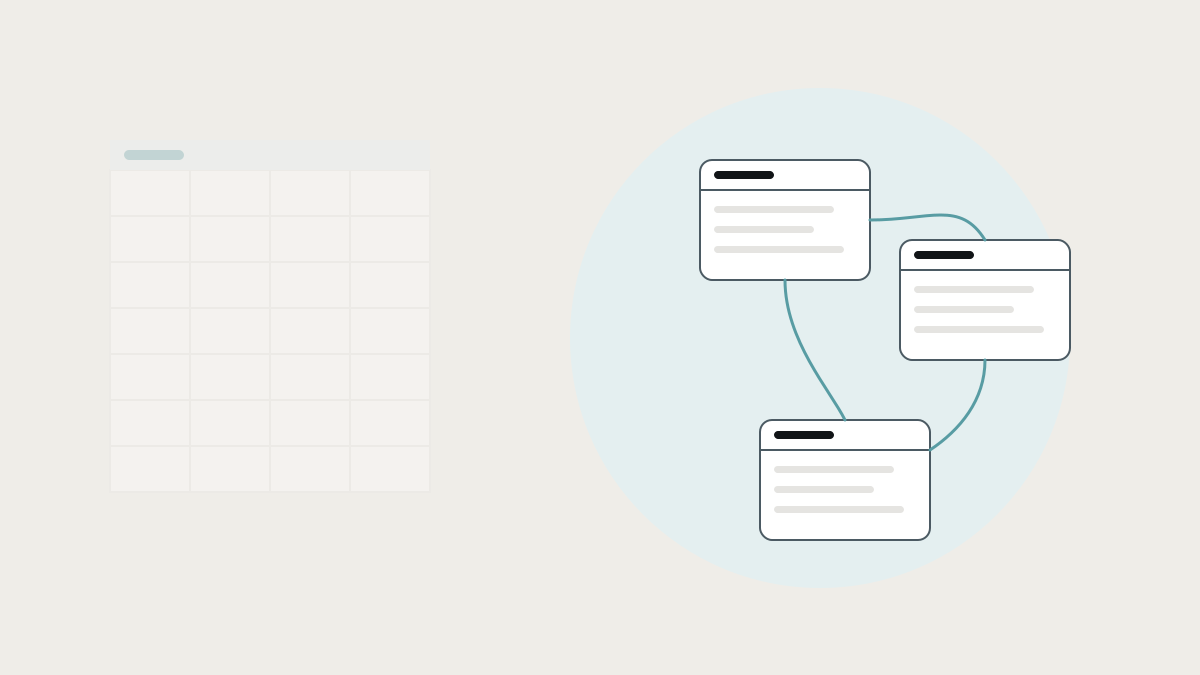
A shared sheet can run a business process for years, until it doesn't. When a spreadsheet is a fine database, the warning signs it has stopped being one, and how to move off it without losing what your team likes.
Using Google Sheets as a database works surprisingly well, right up until it doesn't. It's free, everyone knows how to use it, and you can change it in seconds. Many businesses run orders, bookings, stock or staff rosters on a shared sheet for years. Then the sheet slows down, two people overwrite each other, a formula breaks quietly, and the business realises its most important system is a file anyone can edit.
This guide explains when a spreadsheet is a perfectly good database, the warning signs that it has stopped being one, the tools people move to and how each works, and how to make the move without losing what your team likes about the sheet.
When Google Sheets works as a database
A sheet is a fine database when most of these are true:
- One team, or a few people, use it, and they talk to each other.
- It holds one kind of thing, like a list of orders or a stock count, without complex links between tables.
- Mistakes are cheap and easy to spot.
- Nothing depends on it automatically: no website, app or invoice reads from it.
- The process is still changing, and flexibility matters more than control.
Early on, that describes most processes. Don't replace a sheet that's doing its job.
What the research says about spreadsheets as systems
- Errors are common and hard to see. Raymond Panko's review of field audits of real business spreadsheets found that the audits using the most thorough methods found errors in at least 86% of the spreadsheets they checked. (Panko)
- Limits fail silently. In October 2020, Public Health England left 15,841 positive COVID-19 cases out of its daily figures between 25 September and 2 October. Test results were collected in the old XLS Excel format, whose row limit meant records past the cutoff were simply dropped on import. An estimated 48,000 close contacts were not traced in time. (The Register) Modern spreadsheets have much higher limits, but the lesson stands: a spreadsheet won't warn you when it's being used as something it isn't.
- Spreadsheets everywhere is normal. Even technical teams spend heavily on replacing spreadsheet processes with internal tools. In Retool's 2022 survey of 2,285 developers, respondents spent about a third of their time building internal tools, most often for operations teams. (Retool)
Warning signs your sheet has stopped being a database
- It's slow to open or recalculate, and people avoid touching it.
- People overwrite each other, or work from their own downloaded copies.
- There are several versions, like "Orders FINAL v3", and nobody is sure which is right.
- Data is typed in twice: into the sheet and into another system.
- Lookups hold everything together, and one deleted row breaks a dozen formulas.
- Permissions matter. Some people shouldn't see salaries or change prices, and a shared file can't reliably stop them.
- Other systems depend on it. Your website, a form or an automation reads from or writes to it, so a renamed column breaks something somewhere else.
- Only one person really understands it, and things go wrong when they're away.
Three or more of these, and the sheet is a risk to the business rather than a tool.
Why spreadsheets break as databases
It helps to know what a real database does that a sheet doesn't:
- Structure is enforced. A date column only accepts dates, and a customer must exist before you can create their order.
- Relationships are real. Orders link to customers by a unique ID, not by a name that might be typed slightly differently.
- Many people can write at once without overwriting each other.
- Access is fine-grained: by row, by field and by action.
- Every change can be recorded, including who made it and why.
- Other software can rely on it, because its structure doesn't change when someone drags a column.
Google Sheets has some of this in part, such as data validation, protected ranges and version history, but it's all optional and easy to undo. In a database, it's the default.
The tools people move to, and how they work
Keep the sheet, add Apps Script or automations
How it works: Google Apps Script, or tools like Zapier and Make, add buttons, checks and automatic updates to the sheet.
Where it shines: a quick fix for one or two pain points.
Where it stops: the data is still a sheet. Scripts make it more capable but also more fragile, and often harder for anyone else to understand.
Put an app on top of the sheet: AppSheet and Glide
How it works: Google AppSheet and Glide read your sheet and generate an app from it, with forms, lists and mobile screens. The sheet stays the data store. (Google AppSheet, Glide)
Where it shines: field teams who need a clean phone app, and data entry with fewer mistakes.
Where it stops: the app is better than the sheet, but the data underneath still has a spreadsheet's weaknesses. Both tools offer their own data stores as you outgrow the sheet, which moves you onto their platform.
Move to a spreadsheet-database: Airtable
How it works: Airtable looks like a sheet but stores data in linked tables, with interfaces for different users and built-in automations. (Airtable)
Where it shines: turning a messy sheet into structured, linked data without code.
Where it stops: it's one more place data lives, priced per user, and complex rules get awkward. We compare options in Airtable alternatives.
Move to a real database with an app on top
How it works: the data moves into a proper database such as PostgreSQL, often through a hosted service like Supabase. Then an internal tool, built with a low-code builder or as custom software, becomes the screen your team uses.
Where it shines: reliability, permissions, history and other systems that can depend on it.
Where it stops: someone has to design the data and build the screens, so it needs either a developer or a builder you trust.
The move most businesses actually need
The spreadsheet usually isn't the only problem. It's holding the process together because the other tools don't talk to each other: orders come from the website, invoices go out from Xero, and the sheet is where someone reconciles the two.
So the best move is rarely "replace the sheet with another app". It is:
- Give the data a proper home, a database with structure, relationships and permissions.
- Connect it to the tools around it, so orders arrive from the shop, invoices are raised in the accounting package and statuses flow back, without anyone copying.
- Build the screens your team needs, which can look as simple and familiar as the sheet did, with checks that stop mistakes.
- Keep the sheet where it's genuinely useful. Many teams still like a live export to Google Sheets for ad-hoc analysis. That's fine when the sheet is a view of the data, not the source of truth.
How to move off a spreadsheet safely
- Freeze the structure. List every tab and column, what it means, and who uses it.
- Find the hidden rules: the formulas, colour codes and "we never do X" habits that the sheet relies on. These become the rules in the new system.
- Clean the data: remove duplicates, fix inconsistent names and give every record a unique ID.
- Run both side by side for a short period, comparing results, before switching off the sheet.
- Move one process at a time, starting with the one where errors cost the most.
How we help at Lephlo
Moving businesses off spreadsheets that have become systems is a large part of what we do. Read more about it on our outgrown spreadsheets page. We give your data a proper home, connect it to the tools you already use, and build screens your team finds as easy as the sheet, with the checks it never had.
It starts with a free consultation, ideally with the spreadsheet open. We scope the first version, give you a fixed price, and move one process at a time. You own the code and the data, fixes are free during the fix period after launch, and we stay on hand as it grows.
Related reading: internal tools: the apps you already use, and how to connect them. To size a first version, try the Build Scope Planner, or book a free consultation.
Frequently asked questions
Can Google Sheets be used as a database? Yes, for small, simple, low-risk uses. It becomes a problem when several people write to it at once, other systems depend on it, permissions matter, or mistakes are expensive.
What is the best Google Sheets alternative for a small business? It depends on what the sheet is doing. For a better phone app, AppSheet or Glide. For structured, linked data, Airtable. For a system other software depends on, a real database with an internal tool on top.
Is Airtable a database? It's a relational database with a spreadsheet-like interface. It handles linked records and permissions far better than a sheet, but it's still a separate platform you depend on.
Will we lose our spreadsheet data if we move? No. Spreadsheet data exports cleanly. The work is in understanding the formulas and habits around it, and turning them into rules the new system enforces.
Sources
- Raymond R. Panko, Spreadsheet Errors: What We Know. What We Think We Can Do (2000)
- The Register, Excel spreadsheet blunder blamed after England under-reports 16,000 COVID-19 cases (October 2020)
- Retool, The 2022 State of Internal Tools
- Product documentation: Google AppSheet, Glide, Airtable